
TL;DR:
My iPhone 16 Pro Max produces garbage output when running MLX LLMs. An iPhone 15 Pro runs the same code perfectly. A MacBook Pro also runs the same code perfectly. The tensor outputs on the 16 show numerical values an order of magnitude wrong. I suspect it points to a hardware defect in the Neural Engine or some other ML-needed system.
It was a PITA to debug, but at least I got a blog post out of it.
How did I get there?
This was supposed to be a simple, unwinding-time project.
For the past few months I've been working on a Clawdbot Moltbot clone that I've been calling Schmidt. It basically does the same kind of thing but with a custom chat UI instead of using Telegram, WhatsApp or other "I-can't-afford-to-be-banned-from" Service. This project has been consuming early days and late nights, so, to unwind, I decided that it may be a good idea to do something simpler. Since I recently subscribed to MiniMax M2.1, I thought I would do what many do and build a simple expense tracking app to test out the model.
The core functionality is simple:
- Automatically, upon each payment, add the expense to my app
- Update an Apple Watch complication with the % of my monthly budget spent
- Categorize the purchase for later analysis
This all comes from being basically orphaned by Nubank's amazing native app (since replaced by a less-full-featured Flutter version).
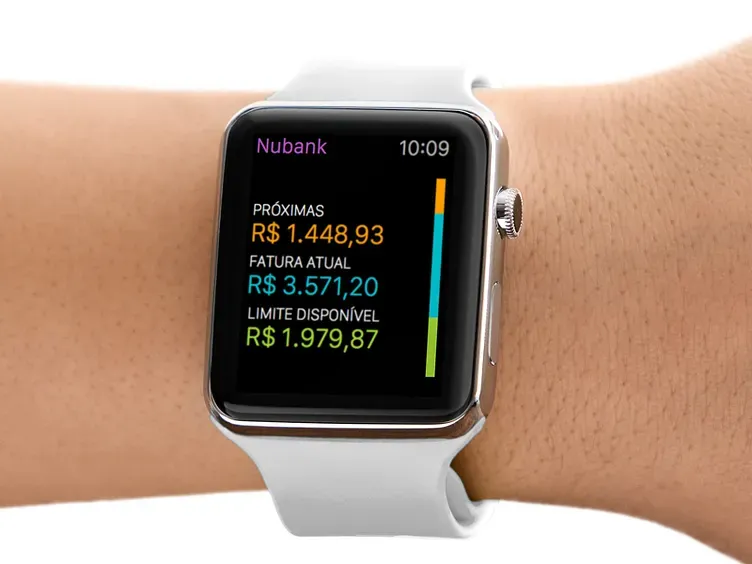
Integrating with Shortcuts is manual, but reliable. Within 15 minutes I had a version of the app that could register purchases. The Apple Watch complication, the main goal, can come later. I'd rather get the classification feature, which should be easy, done quickly – so I figured.
Apple Intelligence
Given the new LLM-bonanza we've been living through, it's no surprise that Apple has their own set of APIs developers such as me can use. Reading up on the documentation, it's a matter of checking for the availability of the feature and then asking the model to either reply to a textual query or, in my case, categorize a request.
MiniMax raced through it in a single prompt and then I ran it on my iPhone. First expense was a purchase at a shop called "Kasai Kitchin", classified as... unknown.
Weird.
Checking the logs, it was clear: the model support was downloading. The feature hadn't been enabled. Again, weird. I should have it on. Anyway, I go into settings, do the weird dance of toggling it on and off – sadly, that's not surprising on Apple's services. Maybe my Settings.app got stuck in a weird state, who knows? – and wait for it to download.
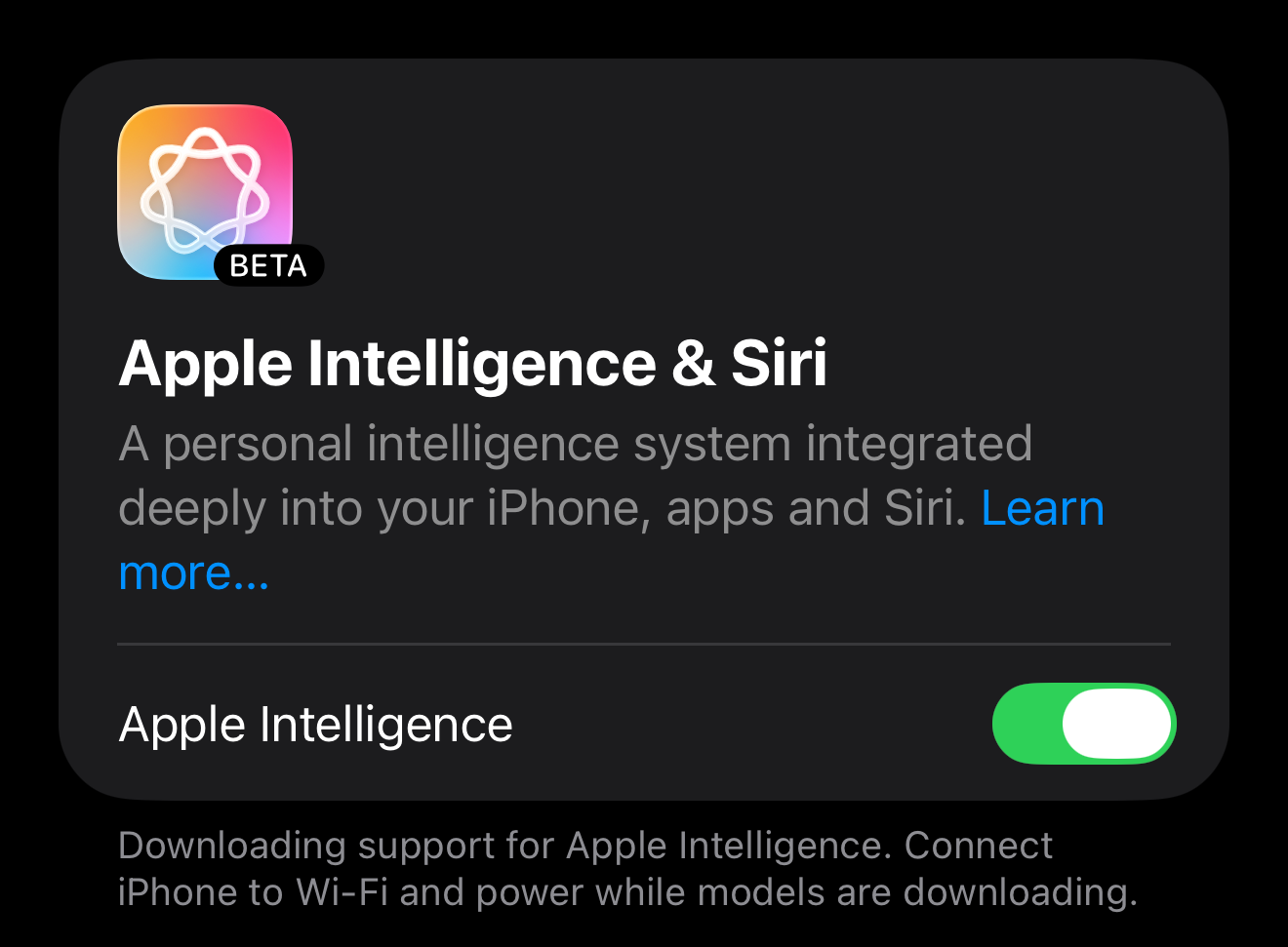
After 4h I realized it was not going anywhere. Looking it up, it seems that many have the same issue (this thread shows 12 pages of frustrated users). Again, not a surprise for Apple's services recently.
Oh well, time to give up on the Apple Intelligence approach. Let's move on to the next one.
MLX LLM
Well, the iOS framework engineers don't seem to be the only engineers at Apple capable of coming up with Machine Learning APIs in Swift. Apparently, there's a whole separate way of doing it – with models downloaded to your app. Not great for the user's storage, but great for me!
Again, MiniMax does it in a heartbeat, specially after being given documentation and one or two Medium posts. Time to run on my iPhone and... gibberish.
The CPU spins to 100% and the model starts generating. But it's all gibberish. And no "stop" token is generated, so this goes on for long.
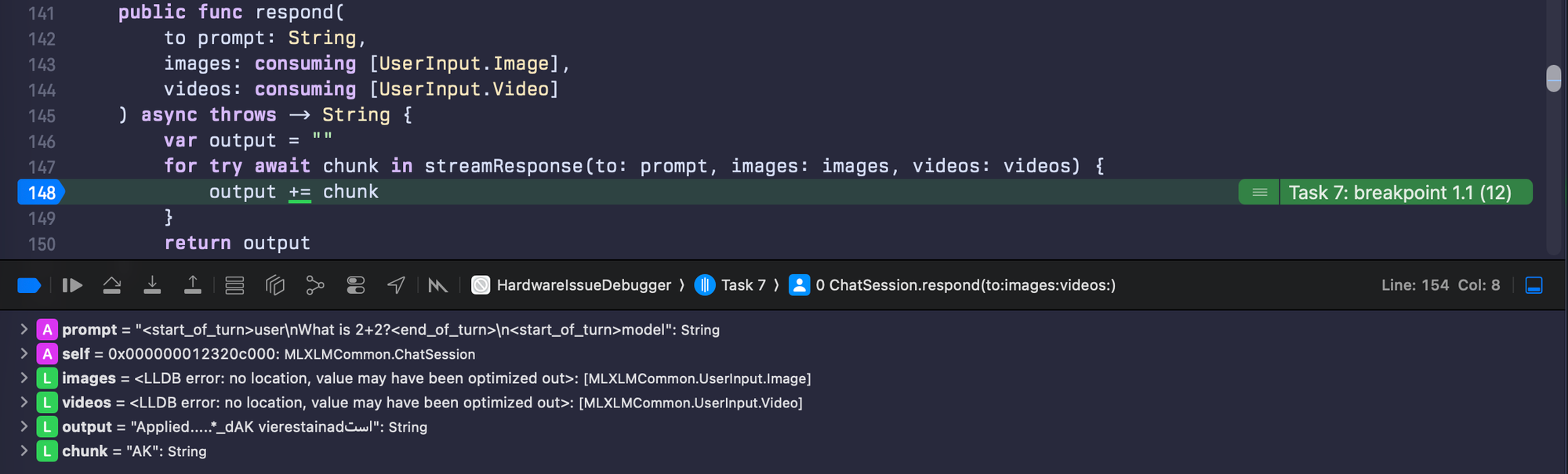
At this point, the only explanation is: I'm completely incompetent and can't even get a simple "ready made" framework to execute what I want. Or, rather, MiniMax is! The good thing about offloading your work to an LLM is that you can blame it for your shortcomings. Time to get my hands dirty and do it myself, typing code on my keyboard, like the ancient Mayan and Aztec programmers probably did.
My own MLX implementation
I went back to the documentation, to the Medium posts and, much to my surprise: MiniMax had followed it to the letter. Even went back to some deprecated methods of generation and it also was gibberish. And now there's no one to blame, but myself. I go to work everyday and this impostor-syndrome inducing problem silently consumes me.
After 3 days of trying to get it to work, I'm ready to give up...
...until, on a Tuesday morning, at 7-8 AM, I have an idea: let me, just in case, run this on my old iPhone 15 Pro. Up to this point, I was running it on my daily driver, an iPhone 16 Pro Max that was a replacement phone sent by Apple Care after a small clubbing mishap (in which my iPhone was irreparably crashed). I rush to get everything ready before it's time to go to work and: it works! Gemma, Qwen, and all other models generate coherent responses!
I stop and think: this cannot be a hardware issue, right? Of course not. The iPhone 15 is still running iOS 18. The iPhone 16 is running 26. It must be an OS issue. Well, time to be late for my work standup and update the old phone. The curiosity is too much. Many minutes later... same results, now on iOS 26. The plot is thickening.
Finding the smoking gun: breakpoints in MLX's implementations of Gemma
After that work day, and after many lunch and coffee discussions with coworkers about the sources of my troubles, I get home and immediately set myself on debugging MLX as it runs, if possible. The game plan is:
- Use a known-to-be-reliable model, that fits in RAM (I went with quantized Gemma)
- Use a simple prompt, in my case "What is 2+2?"
- To be really pedantic: the prompt was
<start_of_turn>user\nWhat is 2+2?<end_of_turn>\n<start_of_turn>model
- To be really pedantic: the prompt was
- Run everything with temperature set to
0.0– maybe that's enough to remove variability - Find the model implementation
- Find where the model iterates through the layers and
- Print out the MLXArray/Tensor with the values on each layer as the input goes through
A few moments later and I find where I need to be. Added the breakpoints, added the logs and off to the races.
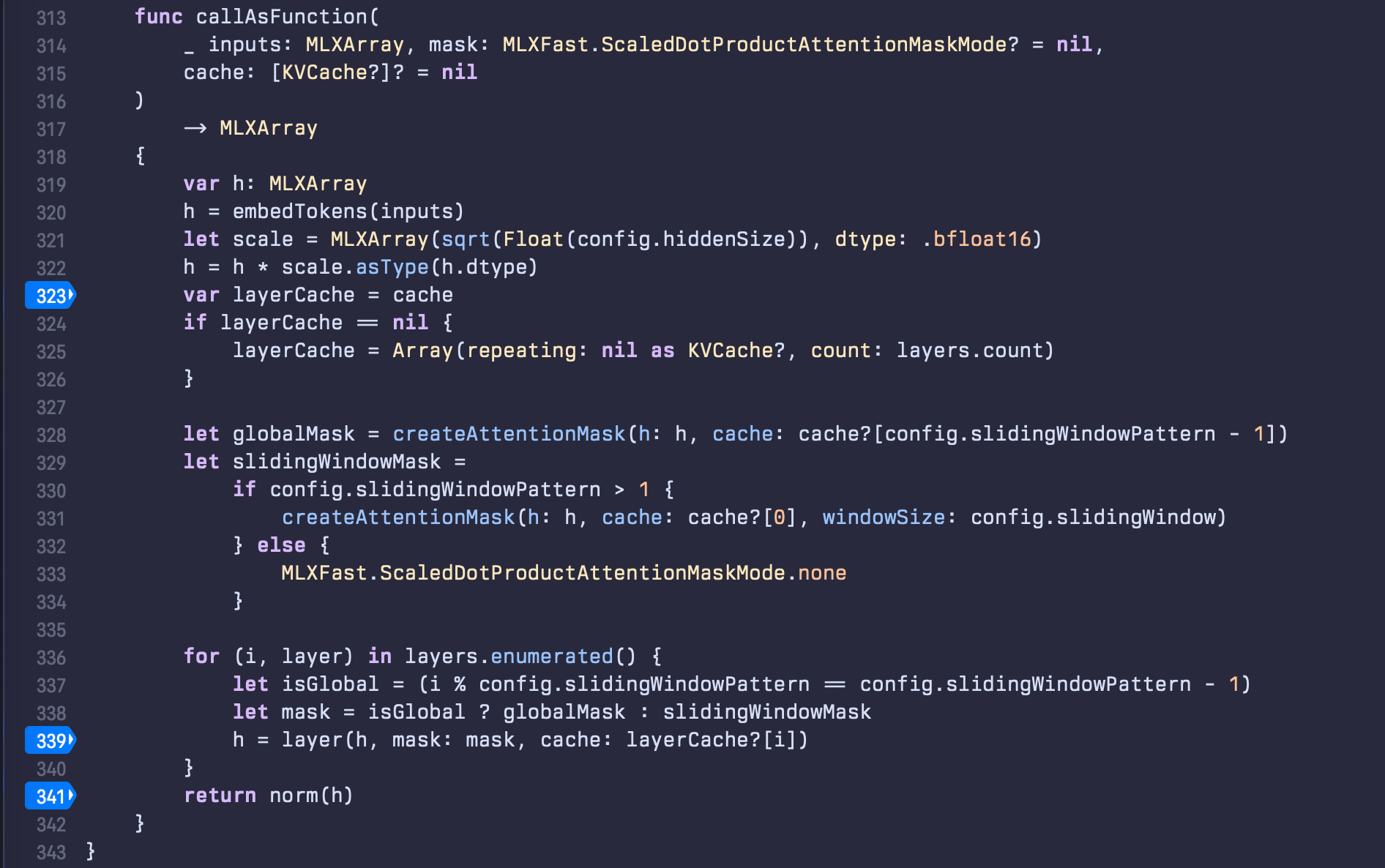
I run it on my iPhone 16 Pro Max. The model loads and the prompt is "What is 2+2?". The tensors start printing out, line after line after line. For once, the logs aren't complete gibberish – they're numbers. Floating point values representing the model's internal state as it processes the input. I save the output to a file and do the same on my iPhone 15 Pro. Same model, same prompt, same code. Time to compare.
Welp, now it's definitely out of my expertise
I grep for a pattern I know should be consistent – an array at log-line 58, right before the values get normalized/softmaxed. On a working device, I hypothesize this should be the same every time.
On the iPhone 15 Pro:3: "[[[[53.875, 62.5625, -187.75, ..., 42.625, 6.25, -21.5625]]]]"
On the iPhone 16 Pro Max:3: "[[[[191.5, 23.625, 173.75, ..., 1298, -147.25, -162.5]]]]"
Huh. Not close. Not at all. These values are orders of magnitude off. I double check the start of the logs and both phones show the same:1: "array([[[0.162842, -0.162842, -0.48877, ..., -0.176636, 0.0001297, 0.088501],\n [-0.348633, -2.78906, 0, ..., 0.84668, 0, -1.69336],\n [-1.30957, 1.57324, -1.30957, ..., -0.0010376, -0.0010376, 1.12305],\n ...,\n [-0.348633, -2.78906, 0, ..., 0.84668, 0, -1.69336],\n [0.296875, 0.59375, 0.890625, ..., -0.59375, 0.296875, -0.890137],\n [1.02734, -0.616211, -0.616211, ..., -0.275879, -0.551758, 0.275879]]], dtype=float16)"
OK, so the model receives the same thing as input, but at some point, the values start to go off. Like, way off. In order to make sure I'm not crazy, I do one last thing: run the same thing on my Mac. Make the app run on iPad compatibility mode and...3: "[[[[53.875, 62.5625, -187.75, ..., 42.625, 6.25, -21.5625]]]]"
Bingo! Same as iPhone 15!
The model isn't broken. The code isn't broken. Most importantly, I'm not broken*. My phone is broken.
*arguable, but besides the point here
What's going on?
Let me explain what I think it's going on here: the iPhone 16 Pro Max contains Apple's A18 chip with its Neural Engine—a specialized accelerator for machine learning operations. MLX uses Metal to compile tensor operations for this accelerator. Somewhere in that stack, the computations are going very wrong. I don't think it's a widespread issue but, I do get disappointed that a relatively newly replaced iPhone from Apple Care came with such an issue.
However, if my Apple Intelligence troubles are related – and they might as well be, I'd assume that code and MLX are not dissimilar in operations being done –, it could be that all the 12 pages of users are users in a similar dillema, but without the means of debugging it.
What now?
I spent 3 days thinking I was incompetent. I blamed MiniMax. I blamed myself. The entire time, my $1,400 phone had a broken hardware. I could lose more time figuring out exactly what is wrong with it but it’s literally not worth my time.
I guess I can at least take a lesson that, when debugging, I should always consider the physical layer. I spent three days assuming this was a software problem – my code, the library, the framework, my skills as a developer. The breakthrough was basically: "What if I'm not dumb and it's not my code?"
As for my phone: it'll probably go back to Apple, as a trade in for a new iPhone 17 Pro Max that hopefully 🤞 can do math.
Update on Feb. 1st:
Well, now it's Feb. 1st and I have an iPhone 17 Pro Max to test with and... everything works as expected. So it's pretty safe to say that THAT specific instance of iPhone 16 Pro Max was hardware-defective.